Location history for Intune-managed fleets

The location history
Intune doesn't give you.

Intune tells you where a device is — sometimes, and not for long. Fleet Tracker records where every device has been, keeps it for as long as you need*, and shows it on a live map. Deploys hands-free through the Intune you already run.

▶ View the live demo Get started — free
Free to use  ·  no credit card  ·  demo needs no signup  ·  deploys via Intune
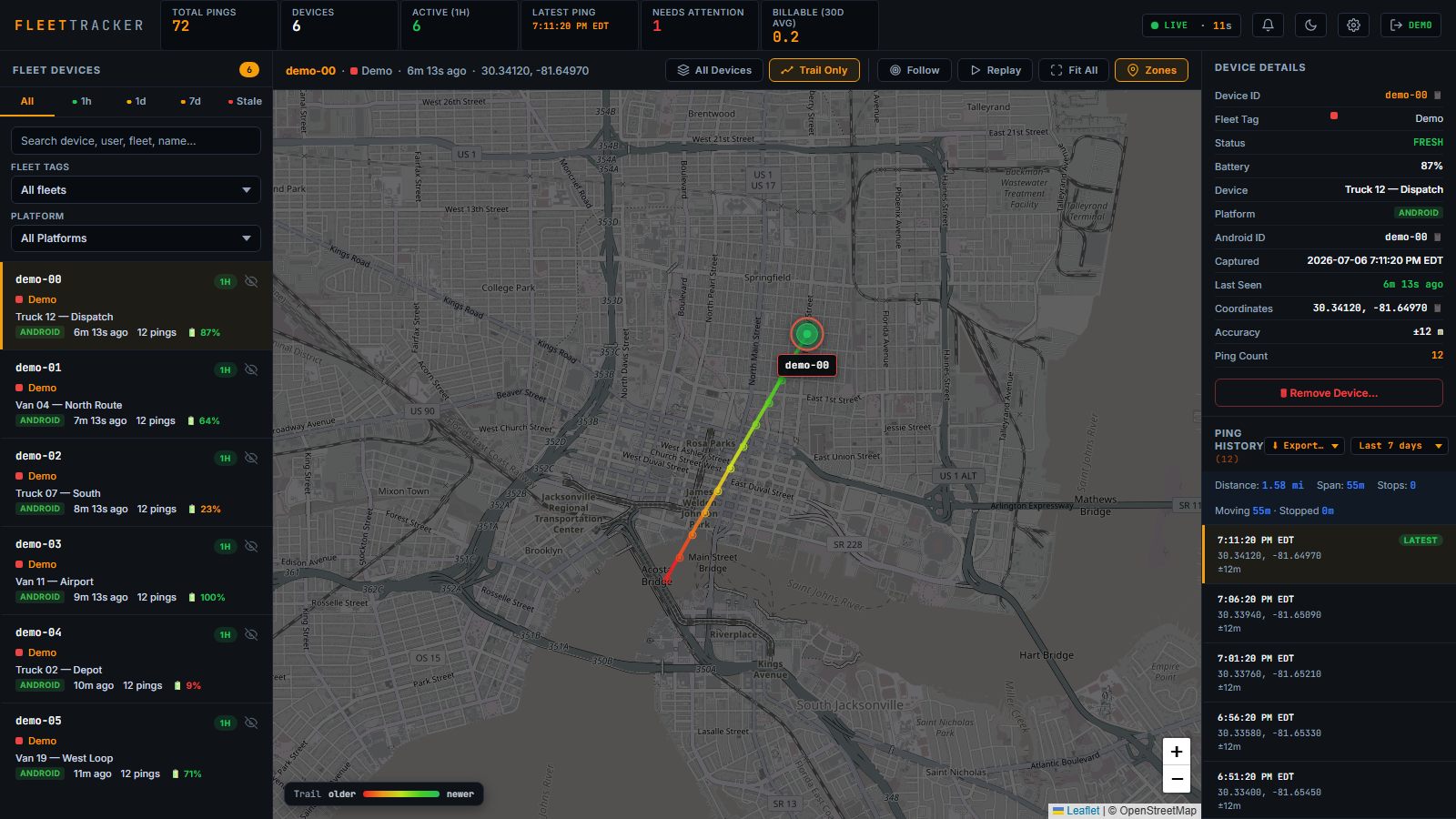
Fleet Tracker dashboard: a device's route drawn as a red-to-green age-coloured trail on the live map, with device details, trip distance and ping history alongside ▶ THIS IS THE LIVE DEMO — CLICK TO TRY IT
Why Fleet Tracker

Built for the gap Intune leaves open

Microsoft Intune is great at managing devices. It is not a location-history platform — that's the gap we fill.

🗺️

Real location history

Intune shows a single, occasional "locate device" when requested. Fleet Tracker logs a position every few minutes and draws the full route each device travelled — a breadcrumb trail you can replay.

📅

Keep it longer than 7 days

Intune's location data is short-lived and disappears fast. We retain history well past 7 days — recent pings in full detail, older data thinned but kept — so you can look back weeks or months, not hours.

Zero-touch deployment*

Push it through the same Intune console you already use. On managed Samsung/Knox devices it installs, configures, and starts tracking with no user interaction — even after a factory reset or reboot.

🏷️

Fleet tags & per-user scoping

Group devices by fleet tag and give each user a view limited to only their assigned fleet. Managers see everything; drivers and team leads see just what they should.

📍

Live map + searchable log

A clean dashboard with live markers, status (fresh / 1h / 1d / 7d / stale), trail replay, and a searchable ping log by device, serial, user, or tag.

🔔

Geofences & smart alerts

Draw zones on the map and get alerted when a device enters or leaves. Speeding, low-battery, and device-offline alerts too — in the dashboard and by email, with a full per-fleet alert history.

📈

Trips, replay & weekly reports

Automatic stop/idle detection turns raw pings into a readable trip log. Replay any day's route on the map, export trails as CSV, GPX, or KML, and get a scheduled weekly report by email.

🔐

Private by design

User identities can be sealed with an encryption key only you hold — the server can't read them. Two-factor sign-in, per-user fleet scoping, and an audit log round it out.

💸

Free to use

Fleet Tracker is free to use right now. And when we move out of beta it'll still come in under the per-device pricing of dedicated GPS-tracking platforms — without adding another MDM to run.
Compare

Fleet Tracker vs. the alternatives

What you actually get versus Intune alone or a standalone GPS platform.

Capability Microsoft Intune Standalone GPS platform Fleet Tracker
Continuous location history (breadcrumb trail)
History retained beyond 7 days
Deploys through your existing Intune
Zero-touch on managed devices*
Geofence, speeding & battery alerts
Trip log, trail replay & weekly email reportsvaries
Fleet tags + per-user access scopingvaries
No second MDM / extra hardware to run
PriceincludedHigh cost per device / moFree in beta — priced under standalone GPS after
Pricing

Free to use

Fleet Tracker is free while in beta

Available now
Free plan
$0 / device

Everything included, free to use. No credit card, no commitment.

  • Unlimited location history*
  • Retention well beyond 7 days
  • Live map, trails & searchable log
  • Geofence, speeding & battery alerts
  • Trip log, replay & weekly email reports
  • Fleet tags & per-user access
  • Intune zero-touch deployment*
Contact us

Get started or ask a question

Tell us about your fleet and we'll get you set up. It's free to use, so there's nothing to lose by trying it.

Already run Intune? You can be tracking devices the same day.
Not sure if it fits? Send an email — we'll tell you if this is the right fit for your company.
We'll never share your details or spam you.
FAQ

Common questions

Does Microsoft Intune keep device location history?
No. Intune can locate a device on demand, but it is a point-in-time lookup with a short-lived record. Fleet Tracker runs alongside Intune and records a continuous breadcrumb trail for every managed device, so you can see where a device has been — not just where it is now.
How long is location history kept?
By default every ping is kept in full detail for 7 days, thinned to one ping per 15 minutes up to 30 days old, then one per hour — kept indefinitely. Recent data stays precise while long-term history stays available.
How does Fleet Tracker deploy?
Through the Intune you already run: a Windows agent (.exe, .msi or .intunewin) and an Android APK. On managed Samsung/Knox devices it installs, configures and starts tracking with no user interaction. See the setup guide.
Is there a demo I can try?
Yes — a one-click live demo with sample devices and trails. No signup and no credit card: open the live demo from the login page and look around the real dashboard.
Can I get alerts and reports?
Yes. Geofence enter/leave, speeding, low-battery and device-offline alerts — in the dashboard and by email — plus a stop/idle trip log, trail replay, and scheduled weekly email reports.
Can MSPs and resellers offer Fleet Tracker to their clients?
Yes. The reseller console keeps each client in an isolated fleet, the accounts you create stay yours, and per-device billing data is built in. See the MSPs & Resellers page for how it works.